01
Folders that work like files
Create nested folders, open them to see only their chats, and keep ChatGPT projects represented alongside your own local organization.
Built for focused ChatGPT work
Turn a crowded ChatGPT history into a calm, searchable workspace with folders, bulk actions, and visual conversation maps.
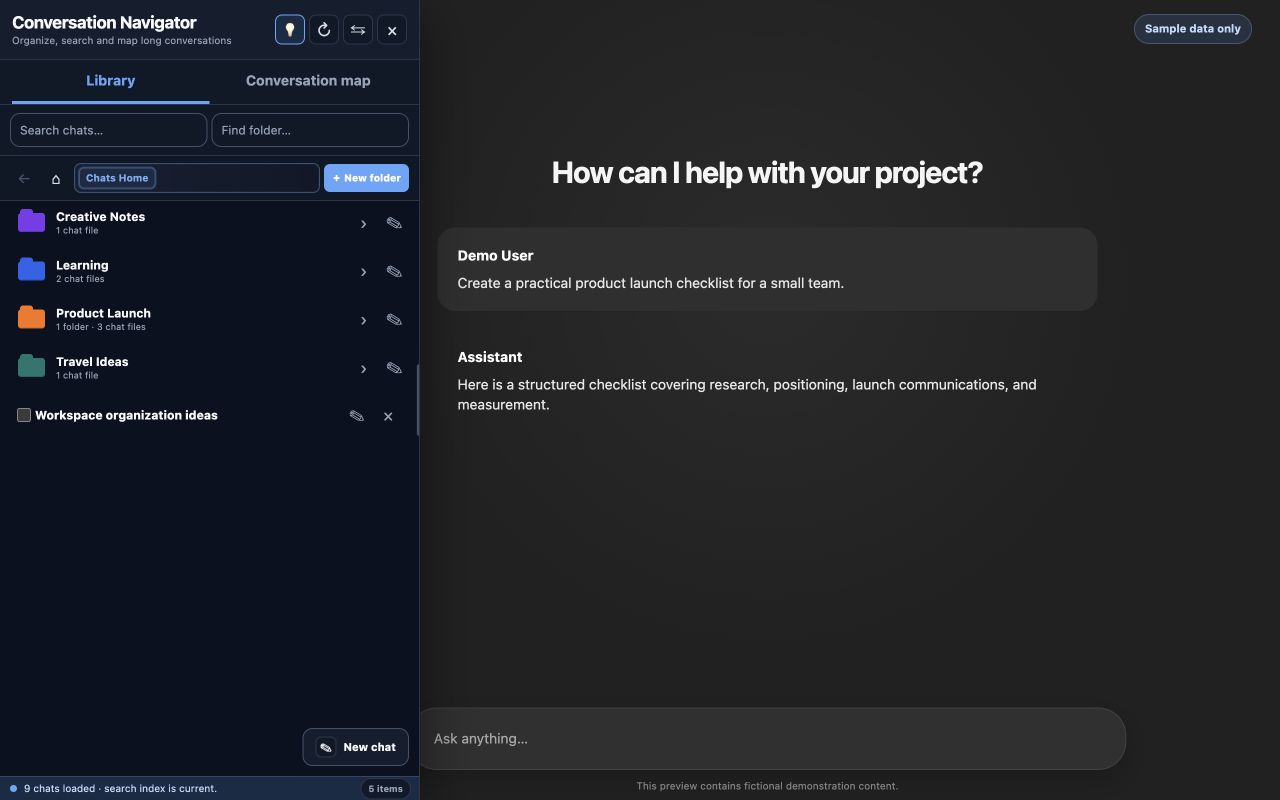
Everything in its place
Useful tools stay one click away while the interface remains compact enough for everyday browsing.
01
Create nested folders, open them to see only their chats, and keep ChatGPT projects represented alongside your own local organization.
02
Search indexed conversation titles and content without endlessly scrolling ChatGPT's native history.
03
Select multiple chats, then move or delete them through clear confirmation dialogs and visible progress.
04
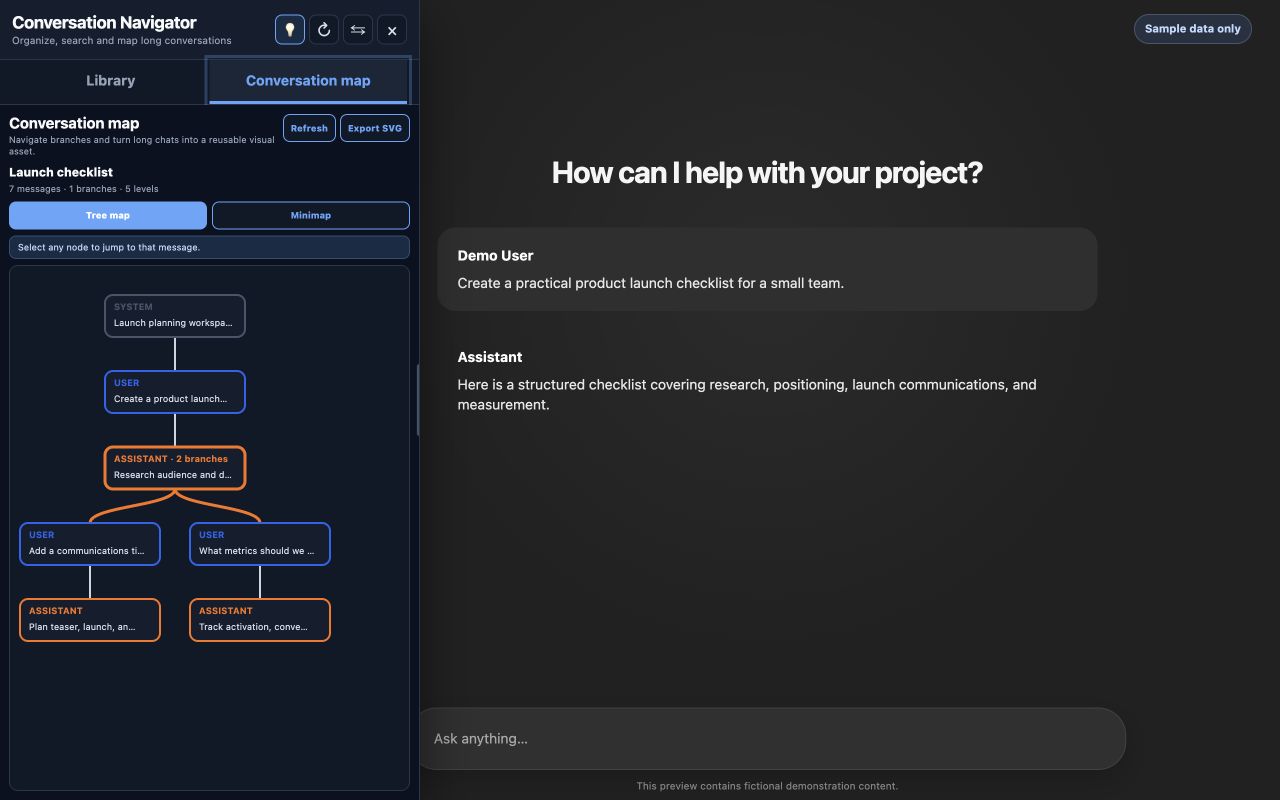
Understand long, branching discussions at a glance, jump to the right message, and export the result as SVG.
05
Resize the sidebar, move it to either side of the page, and choose a light or dark theme. Your preferences are remembered locally.
See the whole conversation
Conversation maps turn the active discussion into a compact visual tree. Branches become obvious, and every node becomes a shortcut back to the original message.
Local-first by design
Conversation Navigator does not operate an extension-owned cloud service. Folder organization and preferences are stored in Chrome extension storage, while the searchable conversation index is stored in extension-owned IndexedDB on your device.
Read the complete privacy policyYour information is not sold or used for advertising.
The extension package contains the code it executes.
Destructive actions require review and confirmation.
Common questions
No. The extension has no extension-owned backend. It works inside chatgpt.com, communicates with ChatGPT on your behalf, and keeps its organization data and search index in your local Chrome profile.
Chrome may permanently remove the extension's local folders, mappings, preferences, and search index. Your ChatGPT conversations remain subject to ChatGPT's own storage and retention behavior.
The extension relies on ChatGPT's website and internal interfaces, which can change. Updates may occasionally be required to maintain compatibility.
Yes. Use the side control in the header to place it on the left or right, then resize it to suit your screen.

Your conversations deserve a workspace